

UI/UX Design Tips: Boost User Engagement with These Best Practices
A website can look visually impressive and still struggle to keep visitors engaged. If people cannot find information, understand what to do next, or complete important tasks easily, they may leave before discovering the value your business offers.
This is where user interface (UI) and user experience (UX) design matter. UI focuses on the visual and interactive elements people use, while UX considers the overall experience of interacting with a website, application, or digital product.
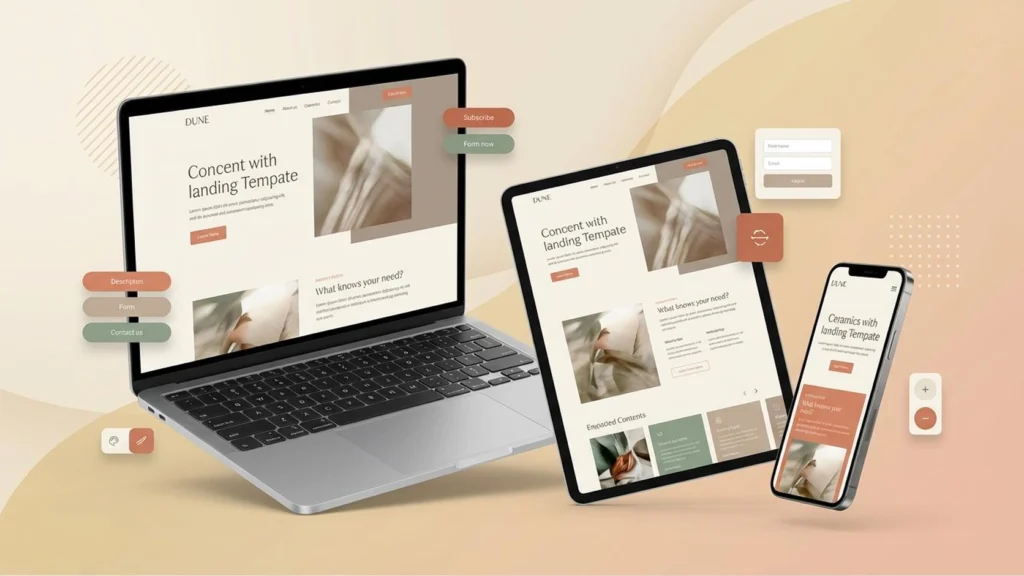
A thoughtful UI/UX design approach makes digital experiences clearer, easier to use, and more consistent. In this guide, we’ll explore practical UI/UX design best practices that can help your business improve usability, support engagement, and create a stronger online presence.
Great design isn’t just what users see—it’s how easily they understand, navigate, and achieve their goals.
What Is the Difference Between UI and UX Design?
UI and UX work together, but they address different aspects of a digital experience.
User interface (UI) design focuses on the visual and interactive elements of a product, including typography, colours, buttons, icons, forms, spacing, and layouts.
User experience (UX) design focuses on how people experience the product. It includes usability, information architecture, navigation, user research, accessibility, and the ease of completing tasks.
For example, a button may look attractive from a UI perspective, but if its purpose is unclear or it is difficult to find, the UX suffers.
Effective design brings both together: an interface that looks consistent and an experience that helps people achieve their goals.
Why UI/UX Design Matters for Businesses
Good UI/UX design helps visitors interact with your website more confidently and efficiently.
Key benefits include:
- Better usability: Visitors can find information and complete tasks with less confusion.
- Stronger engagement: Clear layouts and relevant content encourage meaningful interaction.
- Improved conversions: A straightforward user journey can make enquiries, sign-ups, and purchases easier.
- Greater accessibility: Inclusive design helps more people use your website.
- Consistent branding: A cohesive visual experience strengthens brand recognition.
- Lower user frustration: Clear feedback and predictable interactions help prevent common problems.
Good design does not guarantee higher conversions on its own. Results also depend on the quality of your offer, the audience, content, pricing, and other factors.
10 UI/UX Design Best Practices to Improve User Engagement
1. Keep the Interface Simple and Clear
A crowded interface makes it harder for visitors to decide where to focus. Too many competing elements can distract people from important information and actions.
Use a clear visual hierarchy to highlight the most important content. Give headings, body text, buttons, and supporting information distinct roles.
To simplify your interface:
- Remove decorative elements that do not serve a purpose.
- Group related information together.
- Use whitespace to separate sections.
- Keep important actions visually distinct.
- Avoid presenting too many choices at once.
Simplicity does not mean removing useful information. It means presenting information in a way that is easy to understand and act on.
2. Make Website Navigation Intuitive
Visitors should not have to guess where to find your services, products, or contact information.
Organise your navigation around the tasks your audience wants to complete. Use familiar labels, group related pages, and keep menu structures manageable.
Helpful navigation practices include:
- Use descriptive menu labels.
- Keep important pages easy to access.
- Make the current location clear where appropriate.
- Ensure dropdown menus work on touchscreens and keyboards.
- Include contextual links within relevant page content.
Review navigation from a visitor’s perspective rather than relying only on how your business internally organises its information.
3. Design for Mobile Devices First
Many people browse websites on smartphones, so your interface must work well on smaller screens as well as desktops.
A responsive design should adapt content, images, navigation, and interactive elements to the available screen size.
Check that:
- Text remains readable without unnecessary zooming.
- Buttons and links are easy to tap.
- Forms are comfortable to complete.
- Images do not overflow the screen.
- Important content is not hidden on mobile.
- Menus open and close reliably.
Test real pages on multiple screen sizes. A layout that looks good in a desktop preview may still create problems on a phone.
4. Use Consistent Visual Design
Consistency helps visitors understand how your website works. When buttons, headings, colours, and spacing follow predictable patterns, people spend less effort learning each page.
Create a simple design system covering:
- Brand colours and contrast.
- Typography and heading styles.
- Button and link appearance.
- Form fields and error messages.
- Spacing and layout rules.
- Icon and image styles.
Use these patterns across your website so that visitors receive a coherent experience from the homepage to service pages and contact forms.
Consistency should support usability rather than prevent necessary differences between page types.
5. Improve Website Speed and Responsiveness
A slow or unresponsive interface can interrupt the user journey. Visitors may become frustrated if pages take too long to load or buttons appear not to respond.
Performance improvements may include:
- Compressing and resizing images.
- Using modern image formats where suitable.
- Enabling effective caching.
- Reducing unnecessary scripts and plugins.
- Optimising fonts and third-party integrations.
- Improving server response time.
Evaluate performance using real-user data where available. Google’s Core Web Vitals provide useful measures of loading performance, responsiveness, and visual stability.
Avoid sacrificing useful functionality for minor visual effects that make the experience slower.
6. Make Calls to Action Easy to Understand
Calls to action guide visitors toward useful next steps. Examples include contacting your team, requesting a quote, exploring a service, booking an appointment, or completing a purchase.
A good call to action should explain what happens next. Use descriptive labels such as “Request a Quote” or “Explore Our Services” rather than vague wording.
For better usability:
- Give primary actions enough visual emphasis.
- Place actions near relevant information.
- Avoid competing buttons with equal prominence.
- Ensure buttons work on mobile and desktop.
- Provide clear feedback after an action.
Make sure the destination matches the button’s promise. A clear button that leads to an irrelevant page still creates a poor experience.
7. Improve Readability and Content Structure
Even an attractive website can be difficult to use if its content is hard to read.
Use descriptive headings, short paragraphs, lists where appropriate, and straightforward language. Put the most important information where visitors can find it easily.
Good content presentation includes:
- A clear heading hierarchy.
- Readable font sizes and line spacing.
- Sufficient contrast between text and background.
- Meaningful link text.
- Consistent spacing between sections.
- Helpful images and examples where they improve understanding.
Write for the audience rather than filling pages with jargon. Visitors should understand what your business offers and how it can help them.
8. Design Accessible Experiences
Accessibility helps people with different abilities and needs use your website. It also encourages clearer structure and more predictable interactions.
Consider these practices:
- Ensure adequate colour contrast.
- Support keyboard navigation.
- Provide visible focus indicators.
- Label form fields clearly.
- Add useful alternative text to informative images.
- Use descriptive links and buttons.
- Include captions for important video content.
- Avoid relying on colour alone to communicate meaning.
Automated accessibility checks can identify some problems, but manual testing is important too. Test key tasks using a keyboard and, where possible, assistive technologies.
9. Make Forms Easy to Complete
Contact forms, sign-up forms, and checkout processes are important parts of many business websites. Unnecessary complexity can discourage users from completing them.
Improve forms by:
- Asking only for information you need.
- Using clear labels and instructions.
- Showing understandable validation messages.
- Identifying required fields.
- Preserving entered information when appropriate.
- Confirming successful submissions.
- Making forms usable on mobile devices.
Do not rely only on colour to indicate errors. Explain what needs to be corrected and how to fix it.
Test the complete form journey regularly, including whether submissions reach the correct destination.
10. Use Feedback and Testing to Improve the Experience
UI/UX design should be informed by how people actually use your website, not only by visual preferences.
You can gather insights through:
- Customer interviews and feedback.
- Usability testing.
- Website analytics.
- Search queries and support questions.
- Form completion and abandonment data.
- Carefully designed A/B tests where appropriate.
Observe whether users can complete key tasks, such as finding a service, understanding pricing, or submitting an enquiry.
Use these findings to prioritise changes. Small, evidence-based improvements can make a meaningful difference over time.
Common UI/UX Design Mistakes to Avoid
Avoid these frequent problems when designing or improving a website:
- Overcrowded layouts with too many competing elements.
- Navigation labels that visitors do not understand.
- Small text or low-contrast colours.
- Buttons that look clickable but do not work.
- Pop-ups that interrupt visitors before they can read the page.
- Forms that ask for unnecessary information.
- Inconsistent layouts across related pages.
- Mobile experiences that hide important functionality.
- Animations that distract or make interactions difficult.
- Designing without testing with real users.
The solution is not to follow every design trend. Prioritise clarity, accessibility, consistency, and the needs of your audience.
How to Improve the UI/UX of an Existing Website
If your website is already live, start by identifying the most important user journeys.
Step 1: Review your key pages. Examine your homepage, service pages, contact page, and other pages that support important business goals.
Step 2: Identify usability problems. Look for unclear headings, confusing navigation, broken links, slow loading, difficult forms, and mobile layout issues.
Step 3: Prioritise by impact. Fix problems that block visitors from understanding your offer or completing important tasks before making purely decorative changes.
Step 4: Test improvements. Ask users to complete realistic tasks and observe where they struggle. Review relevant analytics and feedback.
Step 5: Continue refining. Revisit the experience as your content, services, audience, and technology change.
This process helps you improve the website systematically instead of redesigning everything without clear evidence.
How KlicBuzZ Digital Can Help
Effective UI/UX design combines thoughtful layouts, useful content, accessible interactions, and a clear understanding of user needs.
At KlicBuzZ Digital, we help businesses strengthen their online presence through website design, branding, content creation, and digital marketing.
Explore our Website Design services to learn how a user-focused website can support your business goals.
You can also visit our Services page to explore other digital solutions for your business.
Frequently Asked Questions
What is the difference between UI and UX?
UI focuses on the visual and interactive elements of a digital product. UX focuses on the overall experience, including how easily people understand, navigate, and complete tasks. Both work together to create a useful digital experience.
How does UI/UX design improve user engagement?
Clear navigation, readable content, predictable interactions, and relevant calls to action can make a website easier to use. This can encourage visitors to explore relevant information and complete useful actions. A website should also be easy and intuitive to use. Read our guide to UI/UX design best practices to learn how clear layouts, navigation, and accessible interactions can improve the user experience.
Is UI/UX design important for small businesses?
Yes. A clear and accessible website helps small businesses explain their services, build credibility, and make it easier for potential customers to get in touch.
How often should a website’s UI/UX be reviewed?
Review it regularly and whenever you make significant changes to content, design, or functionality. Customer feedback, analytics, and usability testing can help you decide when improvements are needed.
Can good UI/UX design improve conversions?
It can remove obstacles that make it difficult for people to enquire, register, or buy. However, conversion results also depend on the offer, audience, traffic quality, pricing, and other factors.
What tools can help with UI/UX testing?
Useful tools vary by project and can include analytics platforms, usability-testing services, accessibility checkers, performance tools, and user-feedback methods. Choose tools based on the questions you need to answer.
Conclusion
Strong UI/UX design helps people understand your website, find relevant information, and complete tasks with less frustration. By focusing on clarity, responsive design, accessibility, performance, and continuous testing, businesses can create digital experiences that better serve their audiences.
Start with the most important user journeys, fix problems that create unnecessary friction, and keep improving based on evidence. A user-focused approach can strengthen your website and support your broader business goals.

You’ve managed to turn simple words into something profound, making this more than just a read — it’s an experience.
Thank you! Truly appreciate your kind words — glad it connected with you!
Good shout.