

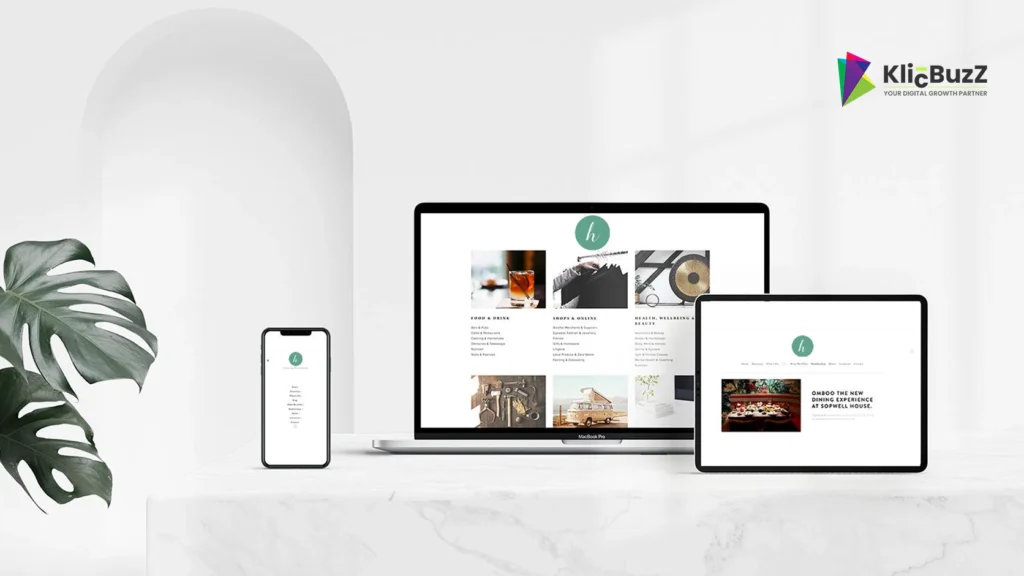
Mobile Optimization: Why Your Business Must Have a Mobile-Friendly Website
People use smartphones to research businesses, compare services, read reviews, and make purchasing decisions. If your website is difficult to use on a mobile device, potential customers may struggle to find information or complete important actions.
Mobile optimization helps your website adapt to smaller screens, load efficiently, and provide a smooth browsing experience across devices. It is an important part of building a website that serves customers and supports your wider digital marketing goals.
In this guide, we’ll explain why mobile optimization matters, which issues to look for, and how to make your business website more mobile-friendly.
A mobile-friendly website meets your customers where they are—making every visit easier, every interaction clearer, and every next step more accessible.
What Is Mobile Optimization?
Mobile optimization is the process of improving a website so that it works effectively on smartphones and other mobile devices.
It involves more than shrinking a desktop layout. A mobile-friendly website should make content readable, navigation straightforward, buttons easy to tap, and important tasks simple to complete.
Mobile optimization commonly includes:
- Responsive layouts that adapt to different screen sizes.
- Readable text and appropriately sized interactive elements.
- Efficient image delivery and page loading.
- Mobile-friendly navigation and forms.
- Clear content structure and calls to action.
- Testing across browsers and devices.
- Accessible interactions and useful feedback.
The objective is to give visitors a consistent, usable experience regardless of the device they choose.
Why Mobile Optimization Matters for Your Business
1. Your Customers Use Different Devices
Customers may discover your business through search engines, social media, advertisements, email, or recommendations. Many of them may visit your website on a smartphone.
If important information is difficult to read or buttons are hard to use, visitors may abandon the page before understanding your services.
A mobile-friendly design helps people explore your website in the context that suits them.
2. Mobile Experience Supports SEO
Google primarily uses the mobile version of a website’s content for indexing. Your mobile pages should therefore provide the important content, metadata, and resources that search engines need to understand your site.
Good mobile optimization includes:
- Making important content available on mobile.
- Maintaining consistent and useful page titles.
- Ensuring internal links work correctly.
- Avoiding blocked resources needed to render the page.
- Using responsive design where appropriate.
- Checking indexation and mobile usability issues.
Mobile-friendly design does not guarantee higher rankings. Search performance also depends on relevance, content quality, competition, technical health, and many other factors.
3. It Can Improve User Experience
Visitors should be able to browse, read, and interact with your website without unnecessary effort.
A strong mobile experience provides readable text, clear navigation, well-spaced buttons, and layouts that do not require horizontal scrolling.
When visitors can complete tasks more easily, they have a better opportunity to understand your offering and decide whether it meets their needs.
4. It Supports Leads and Conversions
For many businesses, a website needs to turn interest into an enquiry, appointment, purchase, or other meaningful action.
Mobile friction can make this difficult. A form with tiny fields, a phone number that cannot be tapped, or a button hidden below an oversized banner may discourage visitors from continuing.
Make important actions easy to find and complete. Test the entire journey from landing on a page to submitting an enquiry or completing a purchase.
5. It Strengthens Your Brand’s Credibility
A website that works smoothly on mobile can help visitors feel more confident in your business. Broken layouts, overlapping text, missing images, and difficult navigation can undermine that confidence.
A consistent, professional experience across devices supports your brand’s overall presentation.
10 Practical Ways to Optimize Your Website for Mobile
1. Use Responsive Web Design
Responsive design allows a website’s layout to adapt to different screen sizes and orientations.
Instead of creating a separate desktop experience that breaks on mobile, use flexible layouts, responsive images, and appropriate CSS breakpoints.
Check that:
- Text remains readable on smaller screens.
- Columns stack in a logical order.
- Images fit their containers.
- Navigation adapts to touch interaction.
- Important content remains accessible.
- Pages work in both portrait and landscape orientations.
Test your actual pages rather than relying only on a theme’s demo or editor preview.
2. Improve Mobile Page Speed
Visitors may be browsing on slower connections or less powerful devices. Heavy pages can create unnecessary delays.
Practical improvements include:
- Resize images to the dimensions they are displayed at.
- Use WebP or other suitable modern image formats.
- Compress images without noticeably reducing quality.
- Enable effective page caching.
- Reduce unnecessary JavaScript and CSS.
- Review third-party scripts and embedded content.
- Use suitable hosting and a content delivery network when appropriate.
If you use WordPress, check that caching and optimisation settings work correctly with your theme, page builder, and plugins. Avoid enabling multiple overlapping optimisation features without testing.
3. Make Text Easy to Read
Visitors should not need to zoom in just to read ordinary page content.
Use a comfortable base font size, sufficient line spacing, clear headings, and good contrast. Break long sections into shorter paragraphs and use lists when they make information easier to scan.
Avoid putting important text inside images, where it may become too small or difficult to access.
Test readability on an actual smartphone, not just a resized desktop window.
4. Simplify Navigation
Mobile screens offer less space, so navigation needs to be organised carefully.
Use a clear menu structure, descriptive labels, and a predictable menu button. Make sure the menu can be opened, used, and closed with touch and keyboard interactions.
Keep important destinations easy to reach, such as services, pricing where relevant, and contact information.
Avoid hiding essential information behind multiple layers of menus.
5. Make Buttons and Links Easy to Tap
Small or tightly packed controls can cause accidental taps and frustration.
Give interactive elements sufficient size and spacing. Follow accessibility guidance for target sizes, and test buttons with different hand positions and screen sizes.
Pay attention to:
- Main calls to action.
- Navigation links.
- Form controls.
- Phone and email links.
- Cookie or consent controls.
- Close buttons on dialogs and pop-ups.
Ensure visual feedback makes it clear when an interaction has occurred.
6. Optimize Images and Media
Large images and unnecessary video embeds can slow down mobile pages and consume data.
Use appropriately sized images, efficient formats, and compression. Reserve the space needed for images so that page elements do not jump around while content loads.
For video, consider a poster image and loading the player when needed. Avoid autoplay with sound, and provide captions when appropriate.
Images should support the content. Decorative visuals should not distract from the main message or prevent visitors from reaching important actions.
7. Simplify Forms and Checkout Steps
Forms are often where mobile users experience the most friction.
Make forms shorter where possible, use clear field labels, and choose suitable input types so that mobile keyboards show the most useful controls.
Helpful practices include:
- Request only the information you need.
- Explain required fields clearly.
- Show understandable validation errors.
- Preserve entered information when possible.
- Provide a clear confirmation after submission.
- Test forms with mobile keyboards and autofill.
If your website accepts payments or bookings, review the full process on a smartphone, including error handling and confirmation.
8. Make Calls to Action Clear
A mobile visitor should be able to identify the next step without searching through the page.
Use concise, descriptive calls to action such as “Contact Us,” “Request a Quote,” or “Explore Services.” Position them near relevant information and ensure they remain visible without obstructing content.
For local service businesses, clickable phone numbers and clear location information may be particularly helpful.
Avoid placing so many buttons on one screen that none stands out.
9. Design for Accessibility
Mobile optimization and accessibility often support one another. Clear labels, readable content, predictable interactions, and sufficient contrast make websites easier to use.
Ensure that:
- Text and controls have sufficient contrast.
- Forms have associated labels.
- Keyboard navigation works.
- Focus indicators are visible.
- Informative images have useful alternative text.
- Important information is not communicated by colour alone.
- Motion effects can be limited when appropriate.
- Content remains usable when text is enlarged.
Automated checks can help find problems, but test important journeys manually as well.
10. Test and Monitor Mobile Performance
Mobile optimization should continue after launch. Browser updates, new content, plugins, and design changes can introduce new problems.
Test important pages on real devices and review:
- Navigation and menu behaviour.
- Page loading and visual stability.
- Contact and enquiry forms.
- Buttons and interactive components.
- Readability and horizontal overflow.
- Checkout or booking flows, if applicable.
Google Search Console can help monitor search visibility and indexing. PageSpeed Insights and real-user performance data can help identify loading and responsiveness issues.
Use the results to prioritise improvements rather than trying to fix every minor issue at once.
Common Mobile Optimization Mistakes to Avoid
Watch out for these common problems:
- Designing primarily for desktop screens.
- Using images that are too large.
- Making text and buttons too small.
- Hiding important content on mobile.
- Showing intrusive pop-ups that block the page.
- Using complicated menus.
- Leaving forms difficult to complete.
- Allowing elements to overflow horizontally.
- Ignoring accessibility.
- Making design changes without testing them.
- Assuming a good desktop performance score means the mobile experience is also good.
Review your pages from the perspective of someone trying to complete a real task on a phone.
How to Check Whether Your Website Is Mobile-Friendly
Use a combination of tools and practical testing.
Step 1: Open your important pages on a smartphone. Review the homepage, service pages, blog posts, and contact page.
Step 2: Test key actions. Open menus, follow internal links, tap phone numbers, and submit forms.
Step 3: Check performance. Use PageSpeed Insights to review performance opportunities and Core Web Vitals information where available.
Step 4: Review search data. Use Google Search Console to investigate indexing and search performance for important pages.
Step 5: Fix the highest-impact issues first. Prioritise problems that block content, prevent enquiries, slow down key pages, or make the site difficult to use.
Repeat the process after significant updates.
Mobile optimization is one important part of a successful website. Explore our guide to essential business website features to learn more about navigation, security, accessibility, and performance.
How KlicBuzZ Digital Can Help
A successful mobile experience combines responsive design, performance, clear content, and straightforward interactions.
KlicBuzZ Digital helps businesses strengthen their online presence through website design, content creation, SEO, and digital marketing.
Explore our Website Design services to learn how a responsive website can support your business goals.
For a consistent experience across your wider online presence, you can also explore our Branding & Identity services and our Content Creation services.
Visit our [Services page](https://klicbuzz.com/services