

Web Development Must-Haves: Essential Features for Every Business Website
Your website is often one of the first places potential customers go to learn about your business. It should explain what you offer, help visitors find the information they need, and make it easy to take the next step.
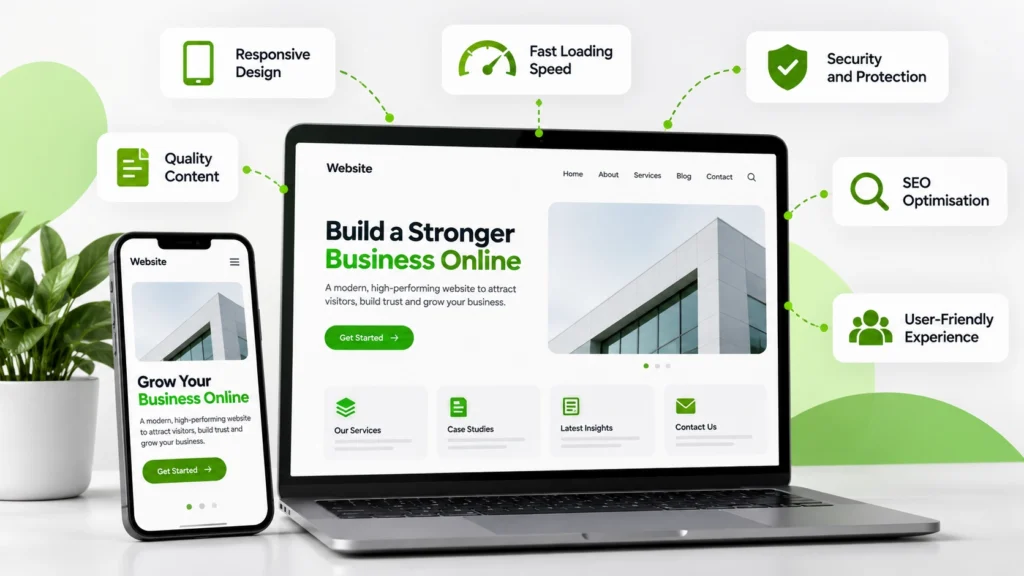
A professional business website is more than an attractive design. It combines usability, performance, security, accessibility, search engine optimisation, and useful content to create a reliable experience for visitors.
Whether you’re building a new website or improving an existing one, understanding the essential features of a business website can help you make better decisions and support your business goals.
A great business website doesn’t just look professional—it makes it easy for people to trust your brand, find what they need, and take the next step.
Why Your Business Website Matters
A well-planned website gives your business a central online presence that you control. It can introduce your services, answer common questions, demonstrate credibility, and help potential customers contact you.
Your website can also support your wider marketing activities by providing a destination for search traffic, social media campaigns, email marketing, and paid advertising.
The goal is not simply to have a website. It’s to create one that serves your audience and makes important tasks easy to complete.
1. Responsive, Mobile-Friendly Design
People access websites from smartphones, tablets, laptops, and desktop computers. Your website should adapt to different screen sizes without making information difficult to read or interact with.
A responsive website should include:
- Readable text without unnecessary zooming.
- Navigation that works well on small screens.
- Images and layouts that adapt to available space.
- Buttons and links that are easy to tap.
- Forms that are simple to complete on mobile devices.
Test your most important pages on actual mobile devices as well as desktop screens. Pay particular attention to navigation, contact forms, service pages, and conversion steps.
A mobile-friendly experience helps visitors use your website comfortably and supports Google’s mobile-first indexing approach.
For more practical advice, read our guide to mobile optimization for business websites to learn how to improve mobile usability, responsiveness, and performance.
2. Fast Loading Speed and Strong Performance
Visitors expect pages to load quickly and respond smoothly. Slow pages can interrupt browsing and make it harder for users to complete important actions.
To improve website performance:
- Compress and resize images appropriately.
- Use modern image formats such as WebP where suitable.
- Reduce unnecessary plugins and scripts.
- Enable effective caching.
- Minimise avoidable redirects.
- Use reliable hosting.
- Review third-party tools that may slow down pages.
Monitor real-user performance where data is available. Google’s Core Web Vitals provide useful measures of loading performance, responsiveness, and visual stability.
Optimisation should improve the experience without removing important features or making the website harder to maintain.
3. Clear Navigation and User-Friendly Structure
Visitors should be able to understand your website and find important information without guessing.
A clear navigation structure typically includes relevant links to:
- Home.
- About.
- Services or products.
- Portfolio or case studies, where relevant.
- Blog or resources.
- Contact.
Use descriptive menu labels instead of vague wording. Group related pages logically, and make sure important information is accessible without excessive clicking.
For larger websites, breadcrumbs and a well-organised internal linking structure can help visitors understand where they are and discover related content.
4. Clear Calls to Action
A call to action tells visitors what they can do next. Without a clear next step, people may leave even when your service is relevant to them.
Examples include:
- Request a consultation.
- Get a quote.
- Contact our team.
- View our services.
- Book an appointment.
- Download a resource.
Place calls to action where they make sense in the visitor journey. Service pages should explain the value of the service before asking visitors to enquire.
Use descriptive button text and ensure that each button leads to the correct destination. Avoid overwhelming visitors with multiple competing actions on the same screen.
5. Search Engine Optimisation (SEO)
A useful website needs to be discoverable. SEO helps search engines understand your pages and helps people find relevant information through organic search.
Important website SEO foundations include:
- Descriptive page titles and meta descriptions.
- Clear headings and logical page structure.
- Useful, original page content.
- Descriptive URLs.
- Relevant internal links.
- Descriptive image alt text where appropriate.
- An XML sitemap.
- Correct indexation and canonical settings.
- Useful redirects when URLs change.
Create pages that match the questions and needs of your audience rather than producing content only to include keywords.
Use Google Search Console to monitor indexing, search impressions, clicks, and issues affecting important pages.
SEO is an ongoing process. Good technical foundations help, but they do not guarantee specific rankings.
6. Security and Data Protection
Website security protects your business, visitors, and information. It is especially important when your website includes contact forms, customer accounts, payments, or other personal data.
Essential security practices include:
- Use HTTPS with a valid SSL/TLS certificate.
- Keep WordPress, themes, plugins, and server software updated.
- Use strong, unique passwords and appropriate user permissions.
- Enable multi-factor authentication where available.
- Maintain reliable backups.
- Remove unused themes and plugins.
- Use reputable security monitoring and protection.
- Protect forms and account areas against abuse.
If your website collects personal information, explain how it is used and stored. Collect only what you need, restrict access appropriately, and follow the privacy and data protection requirements that apply to your business.
Security is not a one-time installation. It requires ongoing maintenance and review.
7. High-Quality Content and Clear Messaging
Visitors should quickly understand who you are, what you offer, who your services are for, and how you can help.
Useful website content includes:
- A clear homepage introduction.
- Detailed service or product pages.
- An informative About page.
- Genuine testimonials or case studies where available.
- Frequently asked questions.
- Contact information.
- Helpful articles and resources.
Use plain language and organise content into short sections with descriptive headings. Support claims with evidence where possible, and keep important information accurate.
Avoid vague statements that could describe any business. Specific explanations of your services and approach help visitors understand what makes your offering relevant.
8. Accessible Design
An accessible website makes information and functionality easier to use for people with different abilities and needs.
Consider these accessibility practices:
- Use sufficient colour contrast.
- Provide meaningful alternative text for informative images.
- Label form fields clearly.
- Ensure keyboard navigation works.
- Use descriptive link text.
- Structure headings logically.
- Provide captions for important video content.
- Avoid communicating essential information through colour alone.
Accessibility should be considered during design and development rather than added as an afterthought. Automated tools can help identify some issues, but manual testing is also important.
9. Contact Information and Reliable Forms
Visitors should have a straightforward way to ask questions or contact your business.
Depending on your business model, include:
- A dedicated contact page.
- A working business email address or phone number.
- A clear enquiry form.
- Relevant location details for local businesses.
- Expected response information where appropriate.
- Confirmation messages after successful form submission.
Keep forms as short as practical. Ask only for information needed to respond to the enquiry, and ensure form submissions reach the correct inbox.
Test forms regularly, including their validation, mobile usability, confirmation messages, and spam protection.
10. Analytics and Conversion Tracking
Website analytics help you understand how visitors find and use your website. They can also show whether your marketing activities are supporting business objectives.
Depending on your goals, track:
- Organic search traffic.
- Important landing-page visits.
- Contact form submissions.
- Clicks on email and phone links.
- Appointment bookings.
- E-commerce transactions, if applicable.
- Qualified leads from marketing campaigns.
Tools such as Google Analytics and Google Search Console can provide complementary insights. Configure events and conversion tracking carefully, and respect applicable consent and privacy requirements.
Focus on meaningful outcomes rather than collecting metrics that don’t inform decisions.
11. A Scalable Content Management System
A suitable content management system makes it easier to maintain pages, publish articles, update images, and manage everyday website tasks.
WordPress is one option for businesses that need a flexible publishing system and a broad ecosystem of themes and plugins. Other platforms may be more appropriate depending on technical needs, budget, integrations, and maintenance requirements.
When choosing or maintaining a platform, consider:
- Ease of updating content.
- Security and update practices.
- Compatibility with required tools.
- Performance and hosting requirements.
- Backup and recovery options.
- Accessibility and SEO controls.
- Long-term maintenance costs.
Avoid adding plugins or features without a clear purpose. A simpler, well-maintained setup can be easier to secure and optimise.
12. Consistent Branding and Visual Design
Your website should feel like part of the same brand customers encounter on your other channels.
Maintain consistency in:
- Logo usage.
- Colours and typography.
- Image style.
- Tone of voice.
- Button and form design.
- Messaging across pages.
Good visual design supports the content rather than competing with it. Use whitespace, clear hierarchy, and relevant images to help visitors focus on the information that matters.
Consistency across your website, social media, and marketing materials helps people recognise your business and understand your offer.
13. Useful Integrations and Practical Features
The right integrations can make your website more useful and reduce repetitive work.
Depending on your business, you may need:
- Email marketing tools.
- A customer relationship management system.
- Appointment scheduling.
- Payment processing.
- Live chat or messaging.
- Product catalogues.
- Maps and location information.
- Customer support tools.
Choose integrations based on real requirements. Review their costs, privacy implications, performance impact, and maintenance needs before adding them.
Common Website Development Mistakes to Avoid
A website can look attractive but still frustrate visitors if its foundations are weak.
Avoid these common mistakes:
- Designing primarily for desktop users.
- Using oversized, unoptimised images.
- Hiding important information behind unclear navigation.
- Publishing thin or outdated content.
- Ignoring accessibility.
- Installing too many unnecessary plugins.
- Neglecting backups and updates.
- Using broken links or forms that don’t work.
- Failing to track meaningful conversions.
- Changing URLs without appropriate redirects.
- Treating the launch as the end of website maintenance.
Regular testing and improvement help your website remain useful as your business and customer expectations change.
How to Prioritise Website Improvements
If you already have a website, you don’t need to change everything at once. Prioritise improvements according to user impact and business risk.
First, fix critical issues. Address broken forms, security concerns, inaccessible essential content, and major mobile usability problems.
Next, improve performance and navigation. Make key pages easier to use, reduce unnecessary loading delays, and help visitors find important information.
Then, strengthen content and SEO. Improve service pages, clarify messaging, review page titles, and connect related pages through useful internal links.
Finally, measure and refine. Review analytics, gather customer feedback, and test changes to understand which improvements make a meaningful difference.
This approach helps you focus resources on changes that matter most.
How KlicBuzZ Digital Can Help
A successful business website brings together design, development, content, performance, and usability. Each element should support the same goal: helping visitors understand your business and take the right next step.
KlicBuzZ Digital helps businesses strengthen their online presence through website design, branding, content creation, SEO, and digital marketing.
Explore our Website Design services to learn how a well-planned website can support your business goals.
You can also browse our Services page to explore other ways to improve your digital presence.
Frequently Asked Questions
What are the most important features of a business website?
Start with responsive design, good performance, clear navigation, useful content, security, accessibility, contact options, and clear calls to action. The exact priorities depend on your audience and business model.
Is mobile-friendly design necessary for every business website?
Yes. People use a wide range of devices to browse the web, so essential information and functionality should work well on mobile, tablet, and desktop screens.
A website should also be easy and intuitive to use. Read our guide to UI/UX design best practices to learn how clear layouts, navigation, and accessible interactions can improve the user experience.
Does website design affect SEO?
Website design can affect usability, accessibility, page performance, content structure, and how easily search engines understand a site. Good design supports SEO, but it cannot guarantee rankings on its own.
How often should a business website be updated?
Review your website regularly and update content, software, security measures, and integrations as needed. The appropriate schedule depends on the site’s complexity and how frequently your business information changes.
Is WordPress suitable for a business website?
WordPress can be suitable for many business websites because it supports flexible content management and a wide range of extensions. Suitability depends on your requirements, implementation, hosting, security, and maintenance.
How can I tell whether my website is performing well?
Evaluate both user experience and business outcomes. Review page performance, mobile usability, search visibility, relevant traffic, working forms, enquiries, and conversions. Use these findings to prioritise improvements.
Conclusion
A strong business website combines clear messaging, responsive design, fast performance, reliable security, useful content, and straightforward navigation. These foundations help visitors find information, understand your services, and take meaningful action.
Whether you are building a new website or improving an existing one, start with your audience’s needs, address the most important issues first, and continue testing and refining the experience as your business grows.